

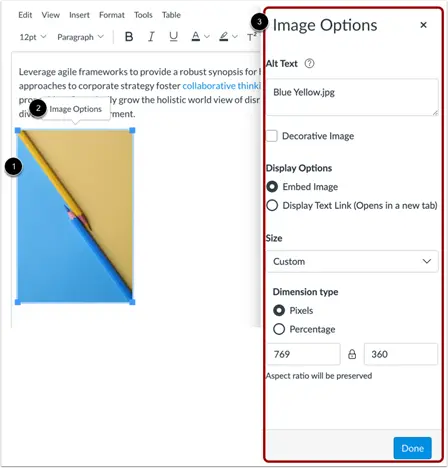
Insert a new image or select an existing image. Select Image Options (appears above the image after image is selected). Enter your desired alternative text in the Alt Text field in the flyout menu or check the Decorative Image box if the image does not convey any meaningful information.
- Select the image in Canvas.
- Click Image Options button that appears above the image.
- Enter your alternative text into the Alt Text field or select Decorative Image as appropriate.
Image
Platform: